Updating the AI email flow in the sequence builder.
placeholder button on Step 1.
1
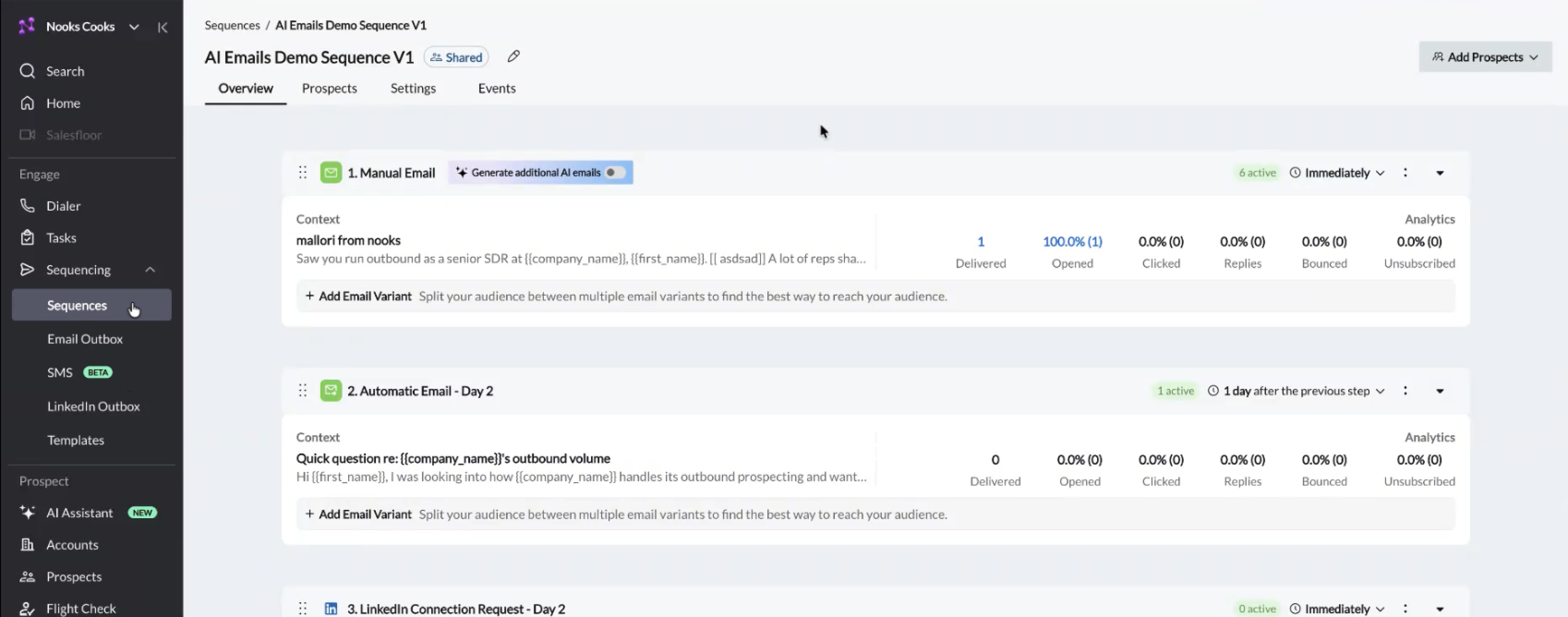
Viewing Email Sequences
Sequences › Overview
Problem
These objects are steps, how are they connected? The mail preview isn't doing much; it's more confusing as to what I'm looking at. The AI point of entry as a toggle seems too destructive as an action. Now that it's on… what do I do? Did this already make a bunch of emails? Do I have to set something up or will this just work?
Fix
Replace the open-ended toggle with an intentional, identifiable AI CTA that walks the user into the feature. The point isn’t to expose every control upfront, it’s to set the user up to use AI emails well, with enough guidance and structure that the system gets the inputs it needs to do its best work.
2
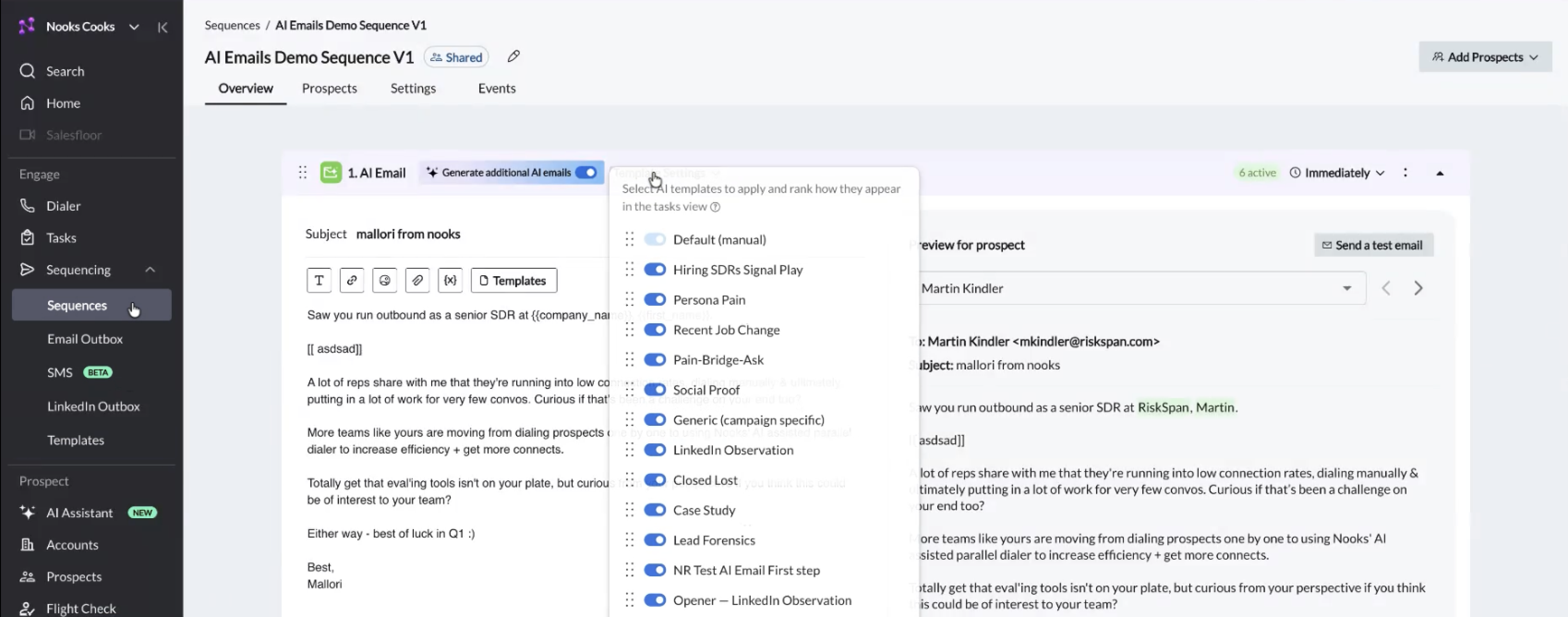
Setting up AI Emails
Template settings revealed after toggle
Problem
These template settings are only visible after enabling AI emails, yet another source of potential confusion and anxiety. What do these all mean? You’re asking me to rank without numbers or a standard ranking UI. There just feels like a lot of terms being thrown at the SDR right out the gate. Very powerful set of tools, but this feels like overloading vs. giving them a tiny bit of good friction to ensure things are clear.
Fix
This entire flow needs to be a walkthrough initially. Onboarding to this feature is key, ensuring they understand how the system works, what features / context / functionality is included and how it’s applied. After their initial go-through it would be totally smart and viable to turn that onboarding flow into a one-click way to apply those settings going forward.
3
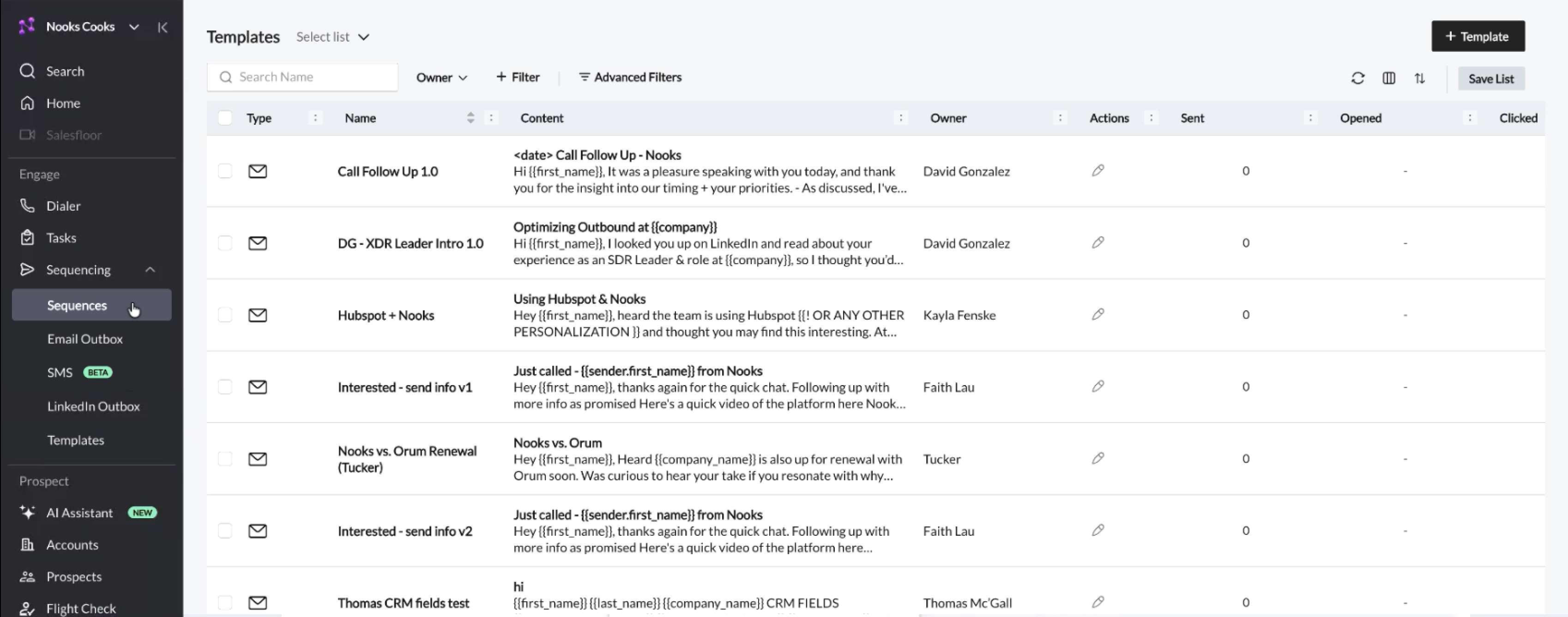
Viewing Templates
Templates list
Problem
I know where I clicked but where am I? There is no real sense of place here for any of these sections. Am I looking at a set of emails with custom_fields, templates, someone’s sequence? Given this view it’s really hard to tell. There is a lack of consistency on how Nooks “work objects” are displayed, between sequence items, emails, templates, each one has its own look, vs. indexing on predictability.
Fix
Set a sense of place. The tiny headline isn’t doing the work it should be, use the header / iconography to cement the user in where they are. Templates especially in a system like this are not emails per se; they are instructions for a type of engagement with the customer. It should look like a unique object that in this case has the email as its form of communication. It should also show efficacy, number of messages using this template, etc.
4
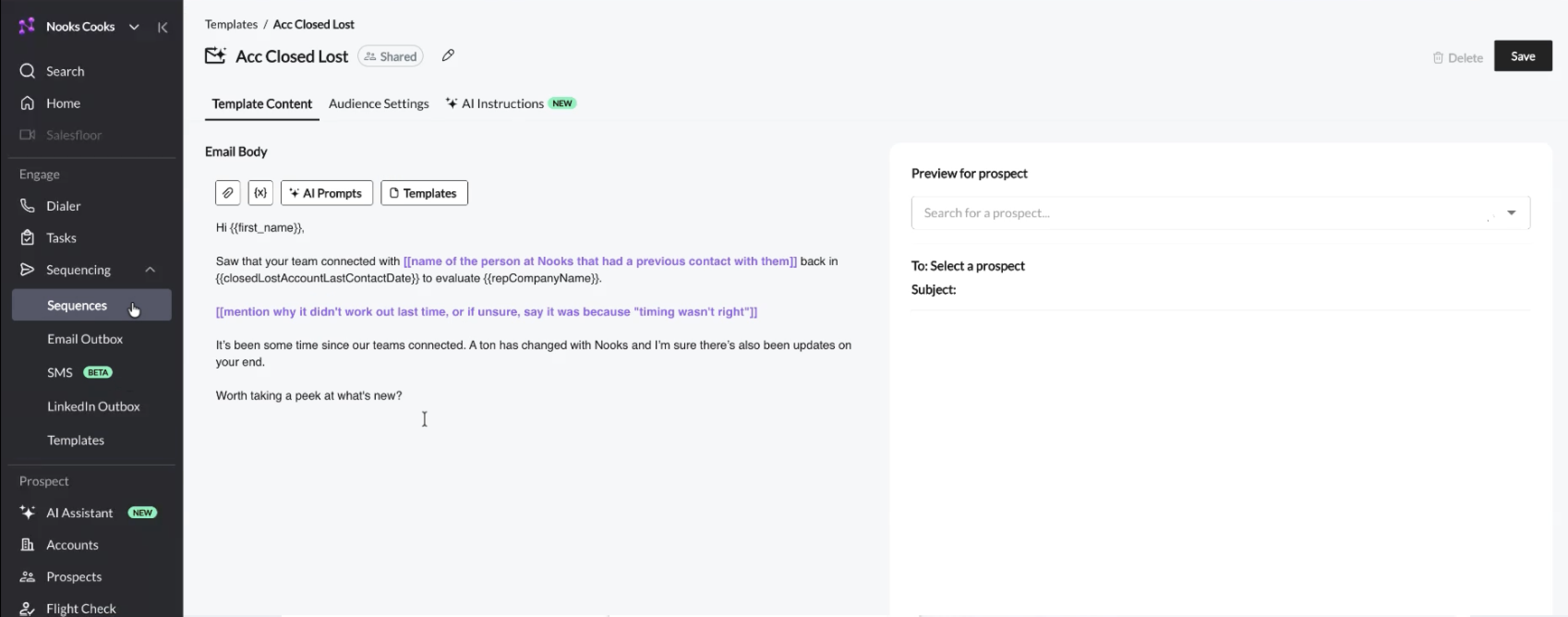
Editing Templates
Template editor
Problem
Again digging in here, this doesn’t look like a template, this looks like an email with custom fields. There’s no preview of what this message could look like. What is the AI going to write here? How do I see it? I’d like to know what kind of AI/automated messages are being sent on my behalf.
Fix
The custom fields and AI props should be chipped, they should feel like solid objects. People don’t want to fiddle with brackets; they want solid UI that they know will accomplish the task. The preview should generate a message with dummy data to see what you’re building. The user should be able to highlight and suggest inline what to dial up, dial down, where and how to communicate, what to avoid totally. Nailing a real human voice in a way a specific SDR may talk matters, give them tools to dial it in clearly.
5
Proposal
The prototype below shows the entry moment, an intentional CTA in place of the toggle. The walkthrough that follows it is a guided setup of inputs, tone, and cadence before AI generates anything. It's the natural next step, but isn't built out here.
Sequences/AI Emails Demo Sequence V1
AI Emails Demo Sequence V1
Shared
OverviewProspectsSettingsEvents
1.
First Contact 1 active
Immediately
PREVIEW+Create a variant
Subject:Mallori from Nooks
Saw you run outbound as a senior SDR at company name, first name. It's been some time since our teams connected. A ton has changed with Nooks and I'm sure there's also been updates on your end.
ANALYTICS
1
DELIVERED
100%
OPENED
0%
CLICKED
0%
REPLIES
0%
BOUNCED
0%
UNSUBSCRIBED
2.
Automatic Email - Day 2 1 active
1 dayafter the previous step
PREVIEW+Create a variant
Subject:Quick question re: company name's outbound volume
Hi first name, I was looking into how company name handles its outbound prospecting and wanted to share a quick thought. A ton has changed with Nooks and I'm sure there's also been updates on your end.
ANALYTICS
0
DELIVERED
0%
OPENED
0%
CLICKED
0%
REPLIES
0%
BOUNCED
0%
UNSUBSCRIBED
6
Rationale
Approach
Managers aren't spinning up dozens of AI sequences a day, they're setting up a small number of plays they care about.
For a user who's particular about how they engage prospects, intentional structure beats scattered surface area.
A guided setup asks for enough context for the system to do good work, and gives the user clarity on what they're committing to.
The cost of a wrong AI email is high; one good moment of friction up front protects the relationships downstream.
Why this first
The toggle is unclear, and the consequences feel high enough that the safe move is to leave it alone.
The moment it's on, the controls scatter, settings here, fields there, with no clear path through.
Fixing the entry point sets expectations before anything changes.
It also gives the rest of the flow a structure to hang from, which the downstream issues all depend on.
What to test
The label itself, “Generate additional AI emails” isn't quite right.
The position, it might want to live under the first message rather than next to the title.
Checks and balances, AI tends toward set-and-forget and that's where managers lose trust.
Where the right review moments live, before generation, after, and on each individual step.